How it works
Invite beautifully. Plan everything else.
Four simple steps take you from a design you love to a party that's handled — invitation, guests, answers and plans together.
1
Make it yours
Choose a Soirée template or upload an invitation you already created.
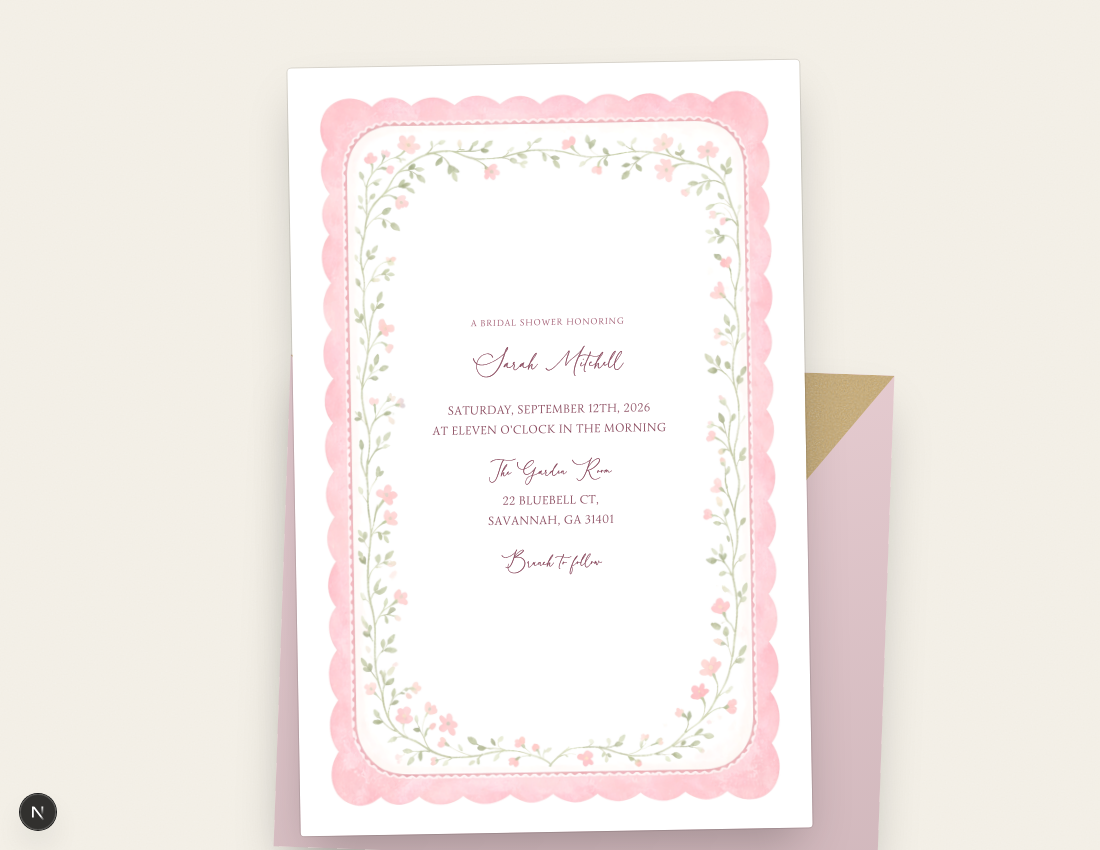
Create an invitation that feels like you
Start with a Soirée template or bring the design you already love. Customize the details, coordinate the guest experience and send an invitation that feels completely yours.
- ✓Upload your own invitation artwork
- ✓Choose from original Soirée templates
- ✓Add text directly to the invitation
- ✓Customize fonts, sizes, colors and placement
- ✓Coordinate envelope, liner and event-page colors
Your invitation. Your style. None of the design compromise.
2
Send it your way
Share personalized guest links, one open invitation link or printable QR codes.

A delivery guests remember
Every guest opens a sealed envelope with their own name on the front before the invitation slides out.
- ✓Personalized envelope opening for each guest
- ✓Personal links to text, email or AirDrop
- ✓One open invitation link anyone can use
- ✓Printable QR codes in your event's colors
- ✓Invitation previews when links are shared by text
Beautiful for guests. Effortless for you.
3
Let the answers organize themselves
Watch RSVPs, headcounts, meal choices and custom answers update automatically.
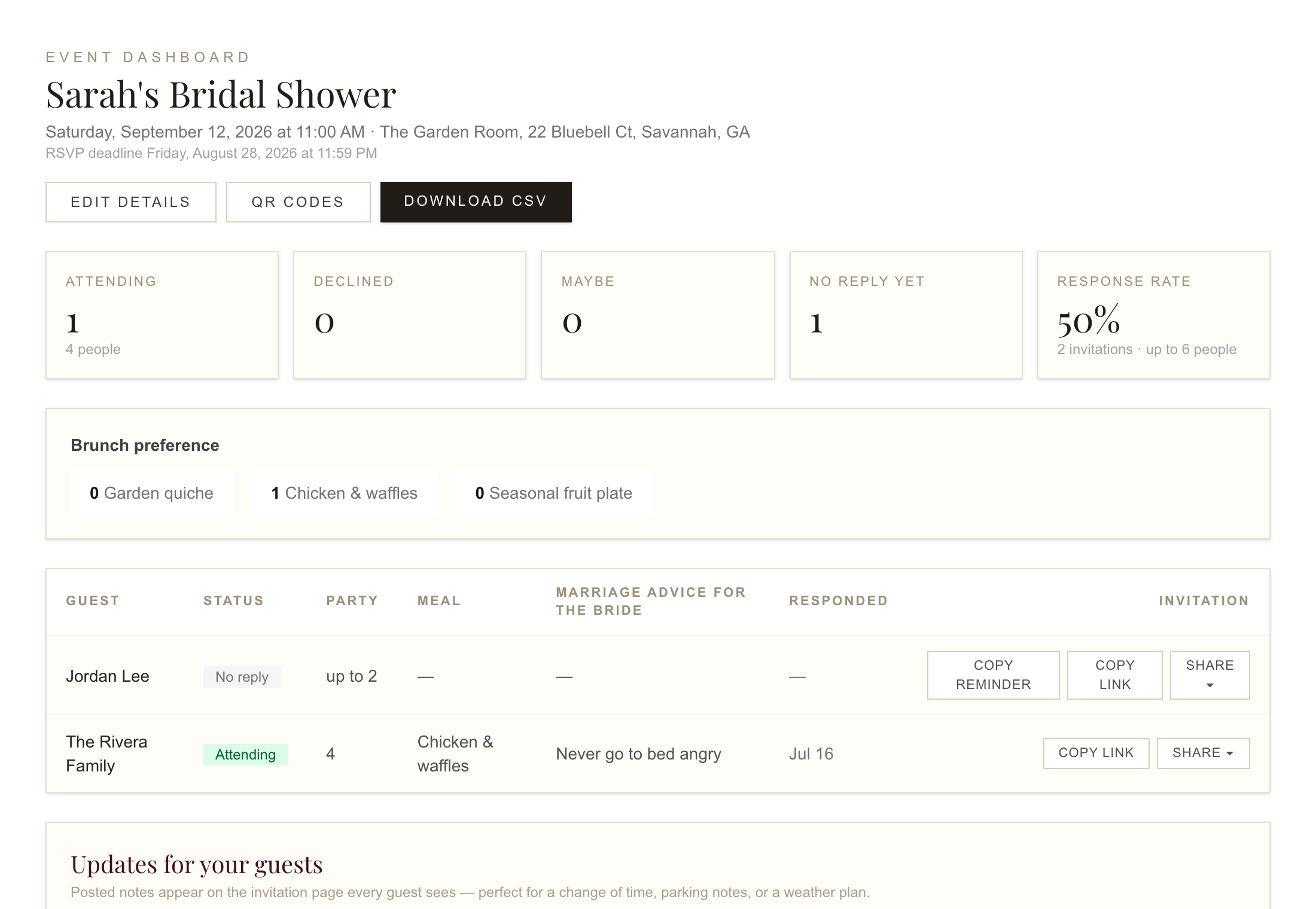
Get every answer without chasing every guest
Ask guests exactly what you need to know, then let Soirée count and organize their answers for you.
- ✓Yes, no and maybe responses
- ✓Adults and children counted separately
- ✓Plus-one and party-size controls
- ✓RSVP deadlines and late-response settings
- ✓Guest-capacity limits
- ✓Meal selections, dietary requirements and allergies
- ✓Custom RSVP questions and messages to the host
- ✓Reminders for guests who have not responded
- ✓Live attendance and meal totals
One response gives you every answer you need.
Keep guests informed without repeating yourself
Give guests one reliable place for everything they need before the celebration.
- ✓Live event details with venue address and map
- ✓Schedule or itinerary
- ✓Registry and external links
- ✓Host notes and contact information
- ✓Event updates and weather forecast
- ✓Photo gallery and optional guest attendance list
Update the details once. Keep everyone on the same page.
4
Plan everything behind the party
Keep your tasks, purchases, spending and event details beside your guest list.
Turn everything in your head into a plan
Organize every task by event, track what's finished and keep the next thing you need to do easy to find.
- ✓Custom event to-do lists with categories
- ✓Completion tracking
- ✓Monthly event calendar
- ✓Pinterest inspiration-board link
- ✓Copyable and downloadable planning lists
Fewer things to remember. More things officially handled.
Shop with a plan—and a real budget
Keep every purchase, product link and party expense together so your vision and your budget stay connected.
- ✓Event shopping list with store and product links
- ✓Estimated costs and actual spending
- ✓Remaining-budget calculation
- ✓Purchased-item tracking
- ✓Copy or download the complete shopping list
- ✓Guest-list CSV export and meal totals for the caterer
Know what you need, where to find it and what the party is really costing.